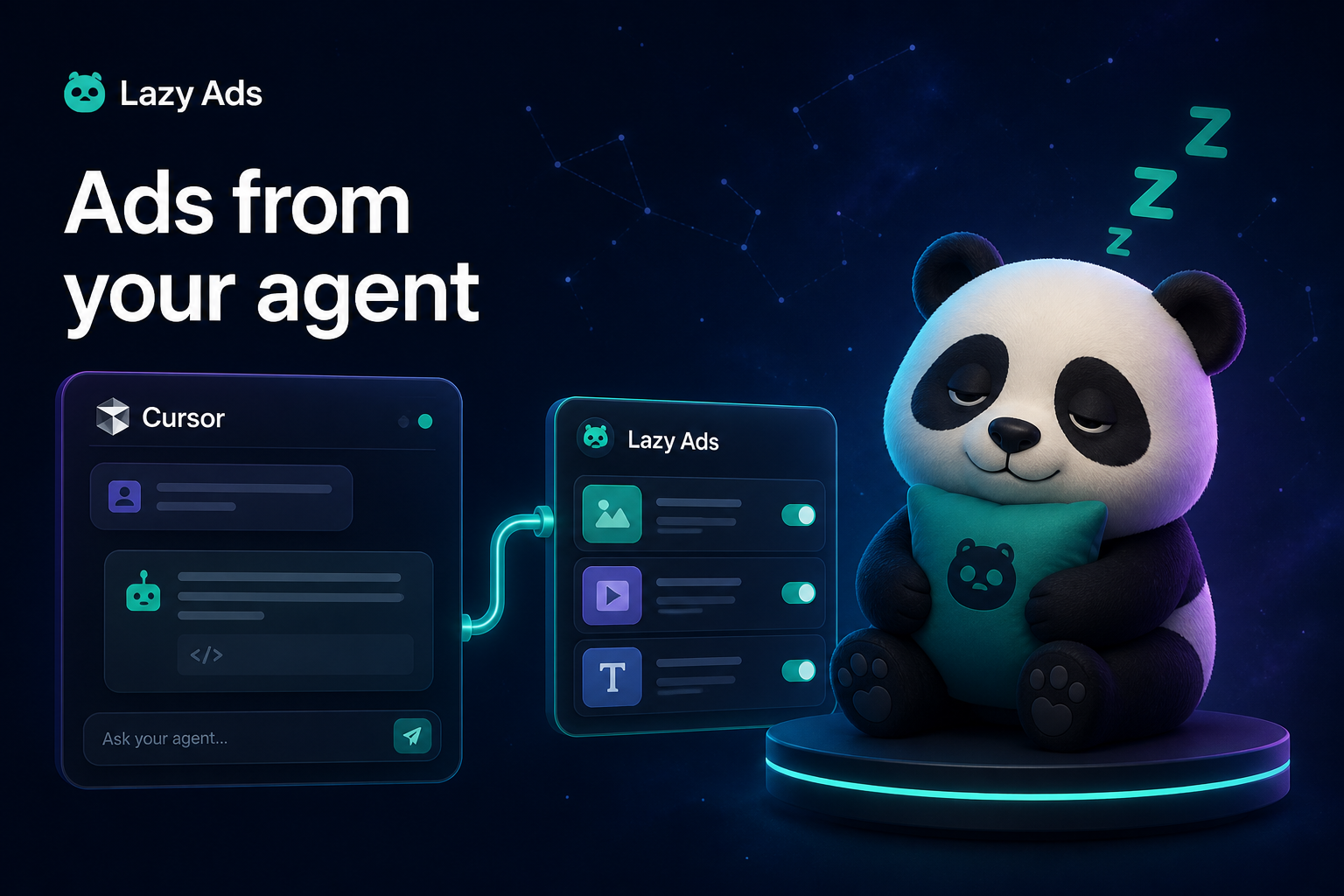
Manage ads from your AI agent with LazyAds MCP
If you already brief work in Cursor, Claude Desktop, Hermes, or another MCP client, opening a separate ads console just to pause a campaign is the wrong interface. The verbs are the same every time — list, inspect, pause, raise a budget, attach a creative — and they belong on the agent that already has your context.
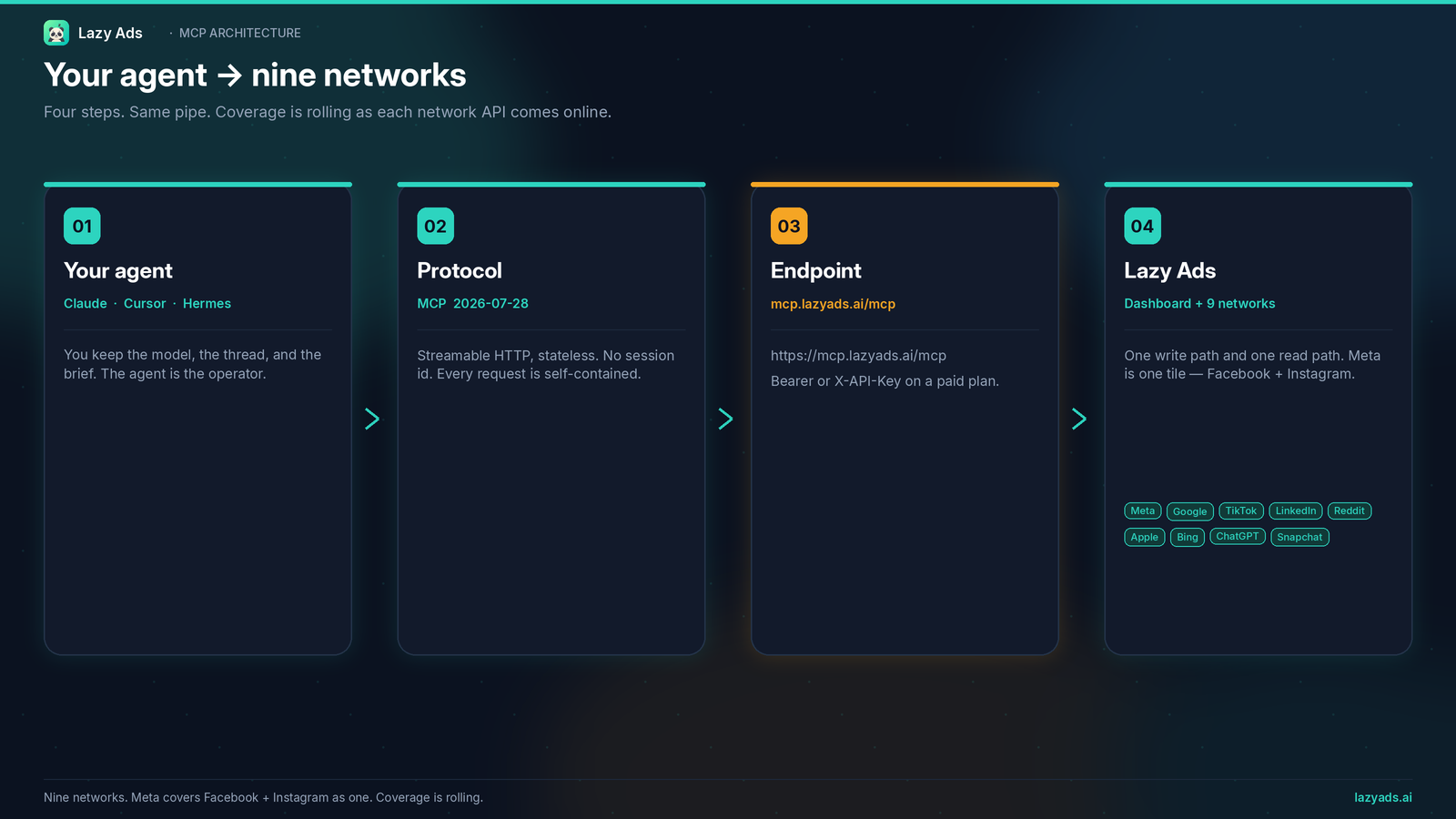
LazyAds.ai exposes those verbs through a hosted MCP server. Point the client at https://mcp.lazyads.ai/mcp, send an API key on every request, and the agent works against the ad accounts you connected in Lazy Ads. This post is the practical setup: protocol, client snippets, the 39-tool bridge versus the 53-tool suite, and what managing ads from an agent actually includes today.
What MCP changes about running ads
Model Context Protocol is a standard way for an AI client to call tools on a remote server. The client does not scrape an ads UI or store your platform passwords. It sends a named tool call — list_campaigns, pause_resume_campaign, set_campaign_budget — and the server performs the action against accounts you authorized.
That split matters because the work is spread across nine network consoles, each with its own objects, budgets, and approval queues. An agent that can only see one tab is not managing a program. An agent that can call a shared tool list against a unified account graph can.
Lazy Ads is the connector and the dashboard. Your agent is the operator. On BYOA the agent brings its own reasoning. On Starter and above, the same MCP connection also includes Lazy Ads AI tools so the platform can draft, score, and analyze — still through the agent, still as tool calls you can read in the transcript.
If you need the plan math, read Bring your own agent ads. For the definition vs closed-team / spend-tax shapes, see What BYOA means for ads. For how Review First and Full Autopilot handle changes the Lazy Ads AI proposes, see AI ad approval workflow. Changes your agent makes through the MCP apply right away. For the Google Ads MCP wire explainer, see Google Ads MCP.
The hosted endpoint
Production lives at https://mcp.lazyads.ai/mcp. Authenticate with your API key on every request.
Generate a key under Settings → API Keys on any paid plan (BYOA, Starter, Growth, or Scale). The free path does not include MCP. If you are still evaluating, start with onboarding and competitor ad browse; subscribe to BYOA or Starter when you want a key.
Connect Cursor, Claude Code, Codex, or Gemini CLI
Most clients take a server block that names the endpoint and an Authorization header. Streamable HTTP is the production path. Cursor (.cursor/mcp.json):
{
  "mcpServers": {
    "lazyads": {
      "url": "https://mcp.lazyads.ai/mcp",
      "headers": {
        "Authorization": "Bearer la_your_api_key"
      }
    }
  }
}
Claude Code is one command: claude mcp add --transport http lazyads https://mcp.lazyads.ai/mcp --header "Authorization: Bearer la_your_api_key". Codex CLI reads [mcp_servers.lazyads] with url and bearer_token_env_var = "LAZY_ADS_API_KEY" from ~/.codex/config.toml. Gemini CLI wants httpUrl instead of url. Windsurf wants serverUrl. Claude Desktop only launches local processes, so it goes through the mcp-remote bridge with the header in env. Every variant, copy-ready, is on the MCP page.
Replace the placeholder with a key from Settings → API Keys. After a restart, the client should list Lazy Ads tools. If it does not, confirm the header (Authorization or X-API-Key), the field name your client expects for the URL, and that the plan is paid.
Useful first prompts are boring on purpose: “Which ad platforms am I connected to?”, “List my Lazy Ads campaigns with the latest synced metrics,” “Sync performance for every linked campaign.” Those calls exercise list_platform_connections, list_campaigns, and sync_all_campaign_performance — bridge tools every paid plan shares.
Connect Hermes
Hermes uses YAML, and Lazy Ads publishes a skill so the server feels native instead of like a raw tool dump. The walkthrough is on the Hermes page: copy SKILL.md into ~/.hermes/skills/lazyads/, add the server to config.yaml, restart.
mcp_servers:
  lazyads:
    url: "https://mcp.lazyads.ai/mcp"
    headers:
      Authorization: "Bearer your-api-key"
    description: "LazyAds MCP — nine-network ad management"
Same protocol: Streamable HTTP, Bearer or X-API-Key on every request. The skill is optional but worth it — it keeps BYOA workflows from calling Starter-only tool names. The sample conversation on /hermes is a shape, not a performance report. Your numbers will be whatever your ad accounts actually produced.
Bridge set of 39 tools on every paid plan, full set of 53 on Starter and above
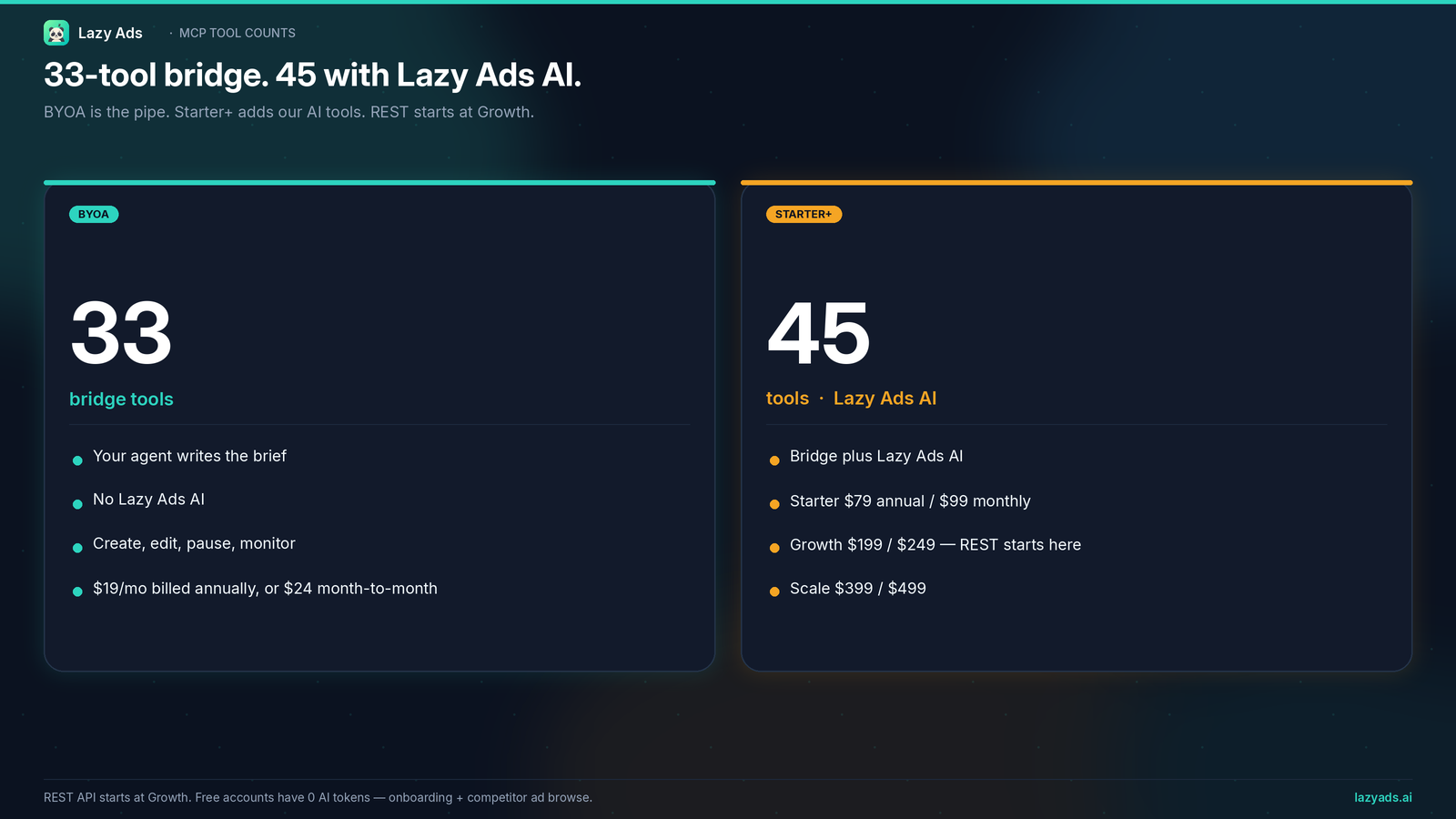
Every paid plan, including BYOA, gets the bridge set of 39 tools that create, edit, pause, and monitor campaigns on connected accounts and sync results into the dashboard. Starter and above add the AI tools for a full set of 53.
The bridge is the operations layer. Post-create update_ad and update_ad_set write Lazy Ads and the live platform when that API supports the field, and fail instead of a silent DB-only write.
- Create:
create_manual_campaign,create_manual_ad_set,create_manual_ad,create_meta_ad_creative - Import and update:
import_platform_campaign,update_manual_campaign,duplicate_campaign - Live controls:
pause_resume_campaign,pause_resume_ad,pause_resume_ad_set,set_campaign_budget,set_ad_set_budget,update_ad_set_targeting,update_ad_set_bid,add_ad_set_keywords,update_ad,update_ad_set - Inventory:
list_live_platform_campaigns,list_campaigns,get_ad_details,list_platform_connections,list_platform_audiences,list_audiences,list_creatives,attach_creative_to_ad - Sync and billing:
sync_campaign_performance,sync_all_campaign_performance,check_platform_billing,connect_chatgpt_ads,get_recent_notifications - Analytics:
get_campaign_performance,get_ad_spend_summary,get_breakdown_data,get_best_performing_creative,compare_campaigns
If you already have a strategy in the agent — a brief, a budget, a creative URL — the bridge is enough to push that work onto a connected network, then pull performance back into one dashboard.
Starter+ adds the platform’s own brain: build_ai_campaign, get_campaign_build_status, and set_campaign_automation; chat_with_lazy_ads; get_optimization_suggestions, get_audience_suggestions, get_creative_score; generate_creative (quota and cost enforced); competitor tools (list_competitors, search_competitor_ads, get_competitor_analysis, scan_competitor_ads); and the activity tools get_ai_activity and list_activity.
Those fourteen AI tools are why Starter is a different product from BYOA, not a bigger quota on the same product. BYOA is “your agent, our connector.” Starter+ is “your agent, plus Lazy Ads AI, on the same wire.” Browse the full list on the MCP page.
Nine networks
Lazy Ads is built around nine ad networks: Meta, Google, TikTok, LinkedIn, Reddit, Apple, Bing, ChatGPT, and Snapchat. You still need your own ad accounts.
A working session
A useful first hour:
- Confirm connections with
list_platform_connections. If ChatGPT is missing,connect_chatgpt_adsattaches an Ads Manager API key. - Pull live objects with
list_live_platform_campaigns, thenimport_platform_campaignfor anything you want on the unified dashboard. sync_all_campaign_performanceso the dashboard and the agent see the same numbers.- Read
get_ad_spend_summaryandget_breakdown_databefore you touch budgets. - Pause or resume at campaign, ad set, or ad granularity. Change daily budget where the platform supports it (Meta ABO, TikTok, LinkedIn, and Reddit are called out for ad-set budgets; Google, Bing, and Apple take keyword adds).
- On Starter+, if you want the platform to draft structure, call
build_ai_campaignand pollget_campaign_build_status. Review the draft. Launch only on networks that are actually connected and writable.
Nothing in that list requires a spreadsheet or a pasted scoreboard. The metrics you see are the metrics your platforms already have, synced in.
Plans, keys, and what free actually includes
MCP is a paid-plan feature. BYOA is the cheapest way onto the wire: $19/month billed annually, or $24/month month-to-month, with the bridge set of 39 tools every paid plan gets, and no Lazy Ads AI usage on our side. Starter at $79/month annual ($99 monthly) is the first plan with the full set of 53 tools, AI campaign creation, and daily analysis. Growth ($199/month annual, $249 monthly) and Scale ($399/month annual, $499 monthly) keep full MCP and add larger ad-spend sizing, more frequent analysis, creative quotas, and competitor tracking. REST API access starts at Growth, not on BYOA or Starter.
The free path is onboarding plus competitor ad browse. Free accounts do not receive AI tokens, an MCP key, or a generated campaign strategy. If a prompt asks Lazy Ads to “just build me a strategy” on a free workspace, the honest answer is onboarding plus competitor ad browse, then BYOA or Starter on the pricing page when you are ready.
FAQ
Does LazyAds MCP work with Cursor, Claude, and Hermes?
Yes. Any MCP-compatible client that can call a Streamable HTTP server can use https://mcp.lazyads.ai/mcp. Claude Code, Cursor, Claude Desktop, Windsurf, VS Code, Codex CLI, Gemini CLI, Hermes, and n8n are the setups we document on /mcp. Hermes also has a skill file and YAML block.
What is the difference between 39 tools and 53 tools?
The 39 are the bridge set every paid plan gets: create, edit, pause, monitor, sync, and analyze against connected ad accounts. The extra 14 on Starter and above are Lazy Ads AI tools — campaign builds, in-product chat, creative generation, scoring, optimization notes, and competitor analysis. BYOA is the bridge set only. Starter and above get the full set of 53.
Do I still need native ad accounts?
Yes — nine networks. You still need your own ad accounts.
Can I use MCP on the free tier?
No. API keys are created under Settings → API Keys on paid plans. Free users can complete onboarding and browse competitor ads. To manage campaigns from Cursor, Claude, or Hermes, subscribe to BYOA for the bridge or Starter for full MCP plus Lazy Ads AI.
How is LazyAds MCP different from Meta's ads MCP server or Google's google-ads-mcp?
Meta and Google each publish an MCP server for their own network. Meta ads AI connectors, enabled by Meta's ads MCP server, connect an AI agent to your Meta ad account. Google's google-ads-mcp connects an agent to a Google Ads account. LazyAds MCP is one hosted endpoint and one key that covers all nine networks Lazy Ads runs, so your agent works with Meta, Google, TikTok and the rest through the same tool set instead of a separate server per network. If you only run Meta or only Google, that network's own server may be all you need.
Start with the agent you already have
Read the tool list on /mcp. If your client is Hermes, follow /hermes.
- Compare BYOA and Starter on /pricing.
- Or start at lazyads.ai: finish onboarding and browse competitor ads, then pick BYOA or Starter on pricing when you are ready.